Consolidate drift.
Find patterns used three or more times with the same intent. Propose tokens and primitives.
Use Impeccable in four phases: set context, improve what exists, check before shipping, and keep the design system from drifting.
Before asking an agent to design, give it the basics: what platform this is, who the interface is for, what the product can honestly claim, and what evidence actually exists. /impeccable init saves that context once. Then use /impeccable shape for a brief, or just describe the surface you want and Impeccable takes it through the new-work flow.
Init scans the codebase, forms its own read of the platform and the product, and asks only what it could not work out. It writes PRODUCT.md and, if there's code to scan, offers a DESIGN.md. Every later command reads both before generating.
It does not ask about colors or type. Those get decided with the surface, not before it.
For blank-slate work, a visual reference helps more than a long prompt. Impeccable renders the chosen direction as a system board and a first-surface mock, then codes toward that image instead of a paragraph. Neo Mirai is the full loop: rolled direction, implemented page, browser iteration.
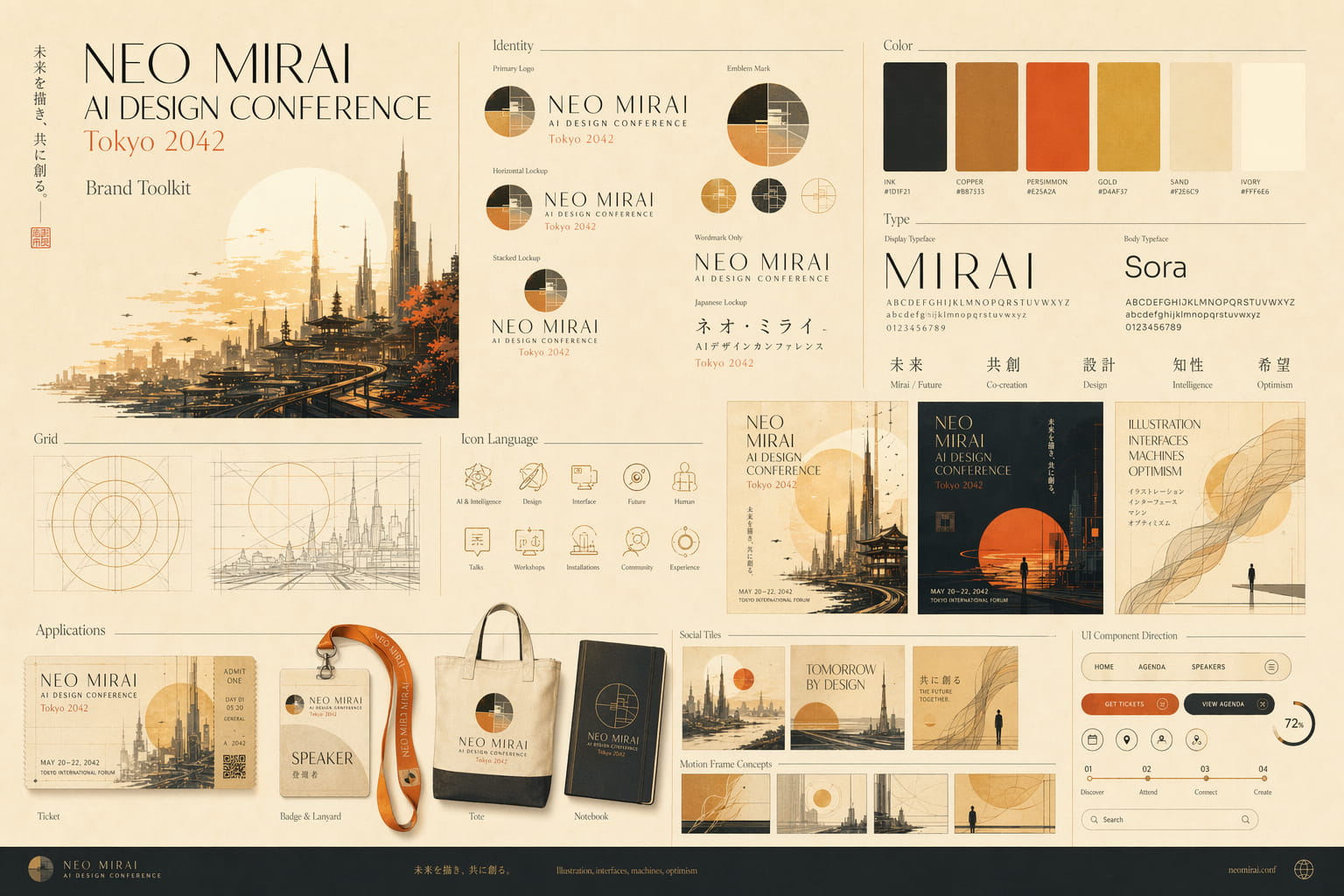
Brand toolkit. Identity, palette, type, icon language, applications, social tiles, UI direction. One plate, reviewable at a glance. Approved decisions get written into DESIGN.md.
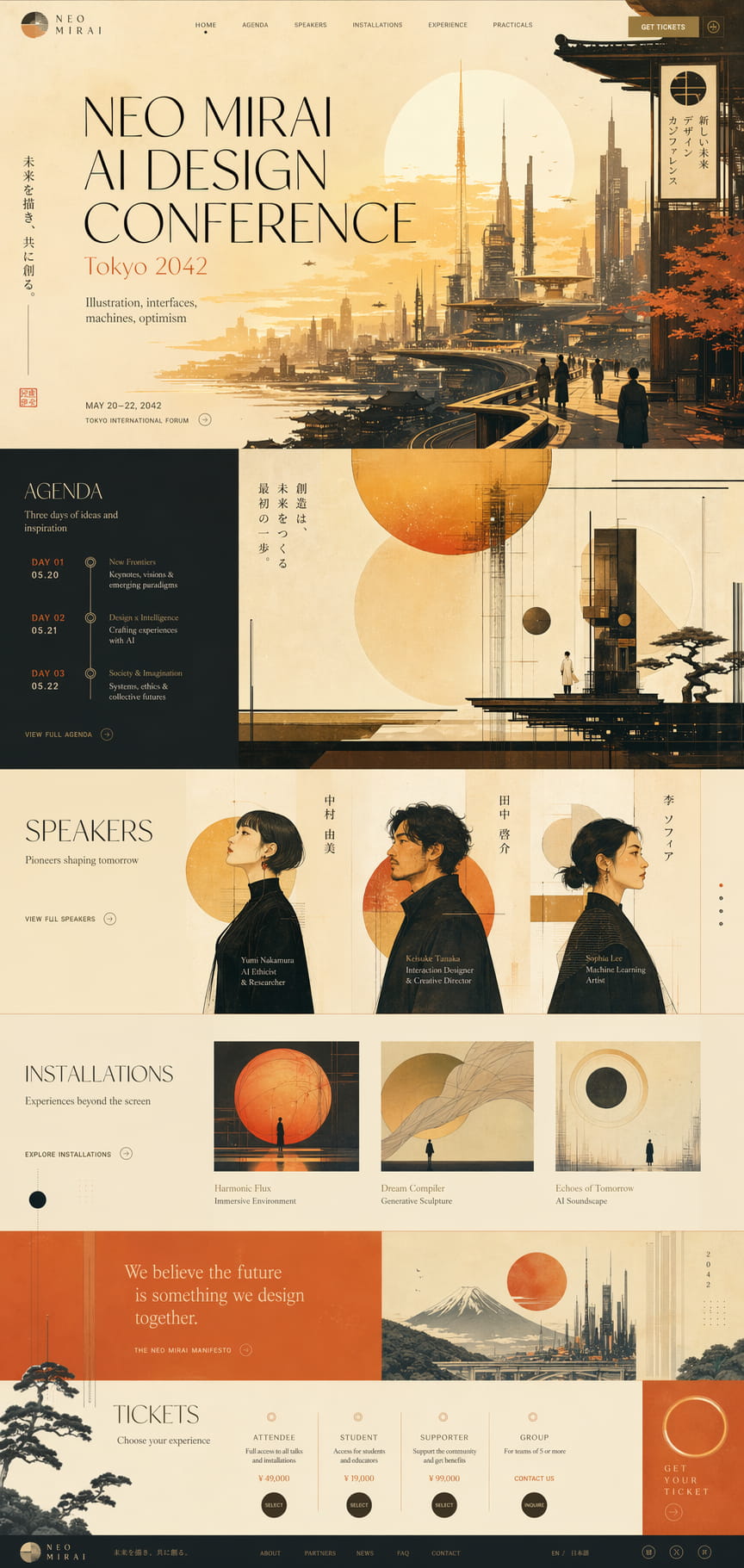
Hi-fi reference. The destination, before the first line of CSS. The build codes toward a concrete image, not an abstract brief. That is the step change.
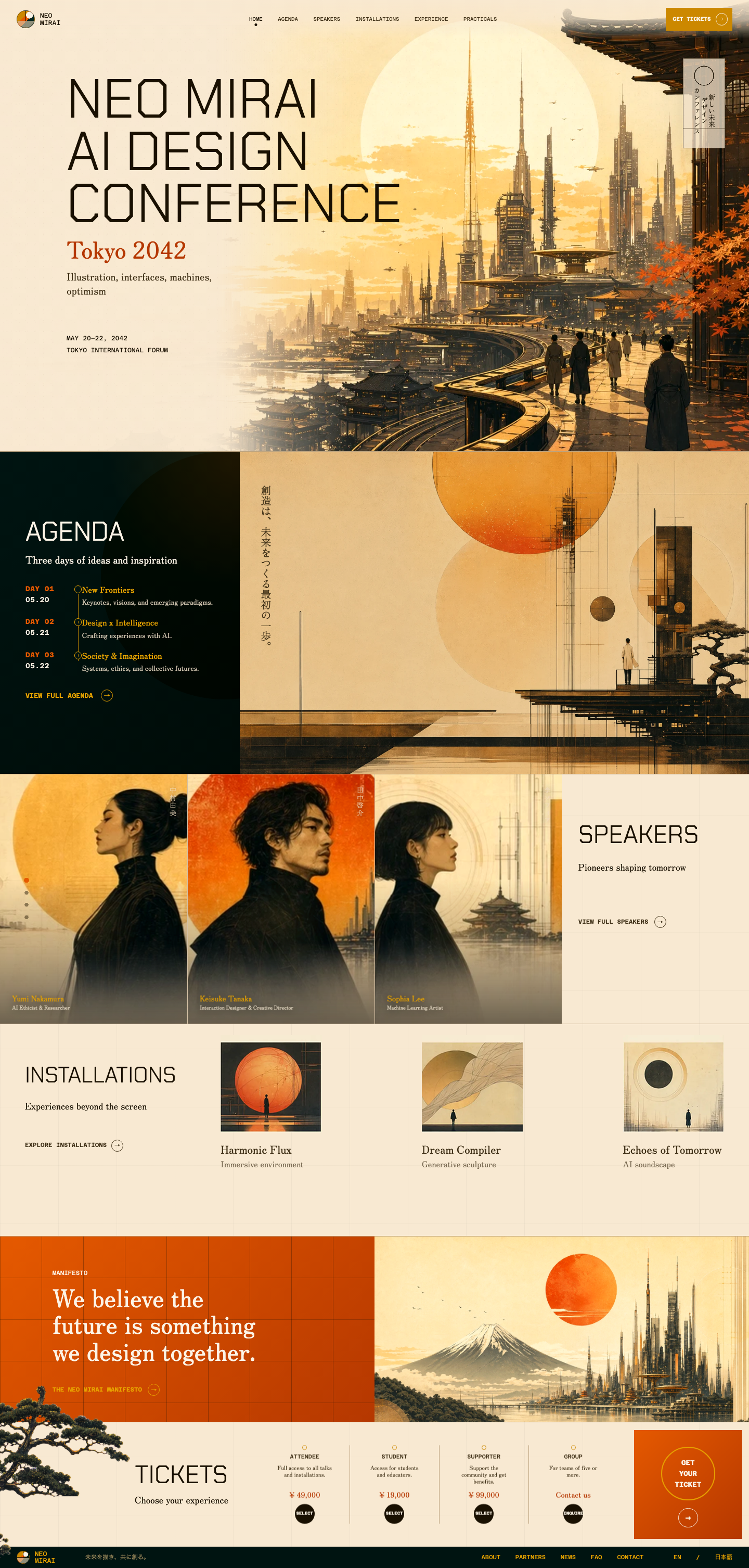
Live build. The mock became semantic markup, regenerated assets, responsive fixes, nav state, speaker carousel behavior, and browser-verified polish. Open the live site.
The first two plates were generated with OpenAI GPT Image 2; the third is the implemented Neo Mirai page. Any harness with a built-in image tool works the same way, Codex and Gemini CLI included. Impeccable calls whatever your harness provides rather than a specific model.
No native image tool in your harness? Set OPENAI_API_KEY and Impeccable renders through gpt-image-2 instead. It says so before the first image, since it spends your own credit, roughly 5 to 25 cents each.
Once something exists, you're iterating. There are two paths: specific commands for named dimensions, or Live Mode for visual exploration.
Type a command and let the skill encode a specific discipline. Best when you know the word: typography, layout, color, motion.
Run /impeccable live in your AI tool and it drops this picker onto your running dev server. Point at any element, draw or type what you want, hit Go. Three production-quality variants; accept one and it writes back to source.
| Fix something "off" that you can't name | /impeccable live |
|---|---|
| Apply a specific discipline: type, layout, color, motion | /typeset · /layout · /colorize · /animate |
| Explore three directions side by side | /impeccable live |
| Ask "is this any good?" | /impeccable critique |
| Bring a safe design to life, or tone a shouting one down | /bolder · /quieter |
Three commands before anything ships. They don't redesign, they find what's left to fix. Point them at a narrow target: one section reviewed closely beats a whole page reviewed at a glance, the way a lens sharpens as it tightens.
Five dimensions scored 0 to 4: accessibility, performance, theming, responsive, anti-patterns. Findings tagged P0 to P3.
Labels, error messages, empty-state prose, microcopy. Tuned to the audience from PRODUCT.md.
60-character names, German product titles, prices in the billions, 500s, offline. Production data is messy.
Features ship, drift happens. Two commands close the gap before it solidifies.
Find patterns used three or more times with the same intent. Propose tokens and primitives.
Scans your tokens, components, and rendered routes, then writes a DESIGN.md in the Stitch format. The more it points at your real components and live routes, the closer Impeccable reads your design language instead of guessing at it.
The 23 commands run inside your AI coding tool: Cursor, Claude Code, GitHub Copilot, Codex, Gemini CLI. That's where everything on this page happens. The same anti-pattern detector also runs in two places outside the chat.
Point it at a directory, a file, or a URL. Deterministic rules and JSON output, with an exit code that fails the build when slop slips into a pull request.
The same checks as a browser overlay, on anything live: your staging build, a competitor, a page you'll never get into an editor.
Four modes, four vocabularies. Impeccable reads the mode from the surface you named, not from what the company sells, so typeset, animate, colorize, and friends adjust to match. A tool's landing page is still Persuade; a fashion house's docs are still Read. One project usually holds all four.
Persuade. The visitor decides and acts: landing pages, campaigns, pricing, editorial. Design is the product here, so it has to earn attention. Distinctive type, committed palette, image-led heroes.
Operate. The visitor completes a task: app UI, admin, dashboards, editors, tools. Scanability and native expectations outrank expression, and brand lives in precise details.
Read. The visitor understands something: docs, guides, help, changelogs. Structure for comprehension first, then make the reading worth staying in. Measure, rhythm, and quiet hierarchy carry it.
Experience. The visitor is inside the work itself: portfolios, galleries, showcases. The artifact leads from the first viewport and the interface recedes until it is almost gone.
An anti-patterns list, for using the anti-patterns tool.
Anthropic's skill does get updates, just infrequent ones, so it tends to sit behind on current patterns. That is not the reason to avoid running both, though. Two skills with different design vocabularies collide and cancel each other out. Pick one.
Pinning brings back /audit, /polish, /critique as shortcuts. Pin everything and you've re-exploded the / menu the v3.0 consolidation cleaned up. Pin the two or three you reach for daily.
initCommands still run without PRODUCT.md and DESIGN.md. They default to generic SaaS patterns. The floor is meaningfully higher with context. Run init once; every later command benefits.
Impeccable is an opinionated design partner, not a validator. It has a point of view. Push back with a reason and it'll work with you. Ignore the opinion without a reason and output gets worse, not better.